

How do you use the accessibility features?
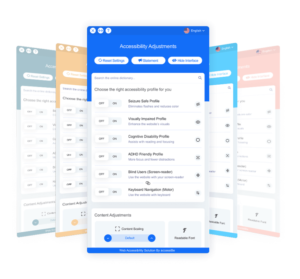
In the lower left corner of our website, you’ll notice an orange icon with a person symbol. If you’re visiting our site with a screen reader, your device will tell you about the icon. Click on the icon to see a menu of profiles. You can choose:
- Seizure safe
- Visually impaired
- Cognitive disability
- ADHD Friendly
- Blind Users
- Keyboard navigation (Motor)
How does it help?
Each profile has a selection of cool features that makes it easier for people to interact with the content.Blind Users
For example, if a blind person using a screen reader visits a website without accessibility add-ons, they may hear repeatedly, “Link. Link. Link.” as they try to navigate the page. With AccessiBe’s plug-in, they hear, “Facebook link Icon. Twitter link icon. Instagram link icon.”
ADHD Friendly
Choose ADHD-friendly as your profile, and you’ll get a horizontal spotlight that helps you focus on one element of the page at a time.